Mikkel has written an article about what to do and what not to do when developing WordPress sites.
These are 11 personal «rules» for WordPress theme or plugin developers. They’re based on my own experience developing for the platform and bad practices I frequently see in WordPress themes and plugins. In my opinion, adhering to these rules will help you create better WordPress content.
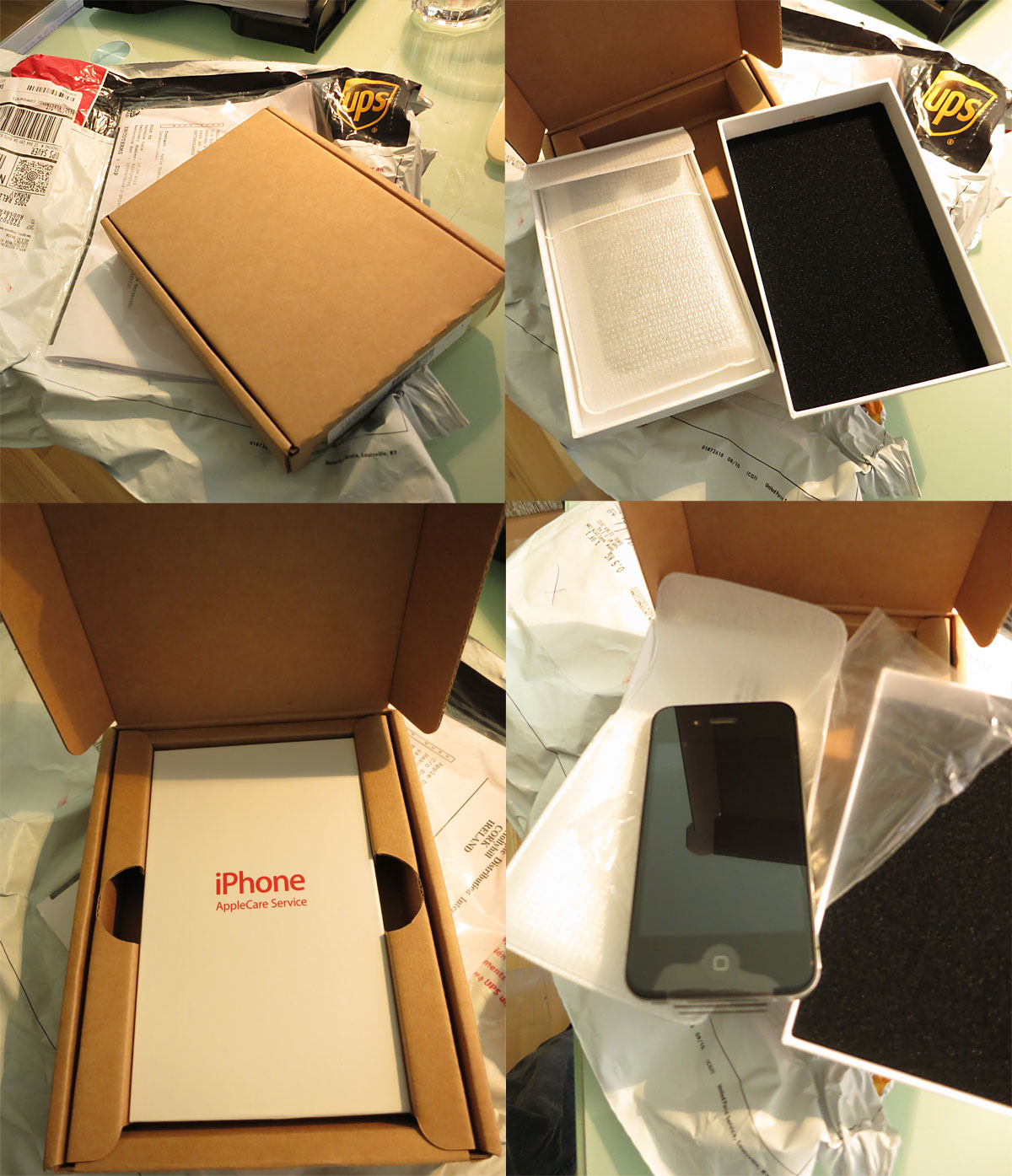
So my wifes iPhone starts acting up with low sound when in calls. I call Apple and after going through the possible software problems that could have caused it (with a very friendly and patient support woman), we decide it needs to be sent in to see if its something wrong with it.
A little over a day later UPS arrives at my house to pick up the iPhone, bringing along the pin to get out the SIM-card and all the necessary packaging to send the iPhone to AppleCare.
Then two days passes and they bring us a new iPhone with UPS currier to our door.
Check out the packaging, its just as cool opening an iPhone coming in from AppleCare Services as it is opening a new iPhone.
As you can imagine, I am super impressed. Someone has been thinking through all the steps to make it as easy as possible to have this process run smoothly and feel like a great experience to the user. This is much better than I could have ever expected if I had bought the phone at a local retailer.
If you have having trouble embedding videos from Youtube or Vimeo on WordPress, make sure to check that you use http in the url and not https.
When I am writing this WordPress still does not support SSL (encrypted and secure communication), its a bug that has been reported a good while ago, and even with the latest WordPress version it still does not support https links.
To fix it, just change https to http in the link to the video.
Which new features of iOS 5 do you think is the best? Which do you think didn’t get enough attention? Do you know of any that is not well known? I will try to feature some of the new features here, I am sure to miss some – so let me know which I missed out on.
Text expansion
This is potentially very nice to save time. We all have phrases that we write all the time, being able to make your own shortcut/abbreviation for them that will save you lots of time.
Custom alert tones and ring tones
With iOS 5 its finally possible to customize both ring tones and alert tones. Apple has included lots of fun alert tones and ring tones in iTunes, but you don’t have to shell out lots of money to use this new feature – you can create your own ringtones and alert tones.
Since alert tones can be ring tones, and vice versa. Its the same process to create an alert tone as it is for creating a ring tone.
Custom vibrations
You probably need to have your phone on silence once in a while, wouldn’t it be cool to know who calls before you take your phone up? With custom vibrations you can customize vibrations for important callers, so you don’t have to look at your phone to know if you need to excuse yourself to answer.
What hidden features of iOS 5 would you like to share?
Don’t know what Sugarsync is? In a few words: Easy backup, 5 GB of free space, and an easy way to share your files (especially the big ones) with other people.
If you want even more free space than those 5 GB, use this link to sign up. That way I will get some more space, and you too! And if you decide to sign up, you will get 10GB for free, on top of the package you choose.
So why should you bother with Sugarsync?
If you, like me, need to be able to send huge files wherever you are, you know how hard a task that can be. Even if you have the huge file on your laptop AND the laptop with you, you will often need to try to find a good hotspot, or connection on your mobile device. And if your luck is as bad as mine – that connection will suck.
With Sugarsync you can have all your huge work files uploaded as you create them, as well as previous versions of them online – so you are safe in case of a disk crash (god forbid!). But the really cool part is that you can use their apps on Android or iPhone to easily share that huge file with anyone you want to.
Why Sugarsync is better than Dropbox
While its possible to put something together with Dropbox to do backups of folders etc, you have to set up all kinds of extra programs or scripts to do it. With Sugarsync you just tell the Sugarsync client (Windows and Mac) what folders to sync, and you are done.
Size matters
If you are going to use a service like Dropbox, iCloud or Sugarsync for backups, and you actually have something to backup – it will become pretty clear that you will need more space. With Sugarsync that is no problem. Sugarsync has a plan that allows you 500 GB of space, thats 5 times more than Dropbox and 10 times more than iCloud! But you can choose whatever plan you like, and most of the time Sugarsync will be less expensive than its competitors.
Easy sharing
With Dropbox you need to make sure that the files you want to share is put in the public folder, with Sugarsync you can share any file you have made backups of, by creating a public link (they stay private to anyone that don’t know that spesific link).
Sharing a file from your backup with someone using Sugarsync is just a matter of finding your file on your computer, right clicking and choosing “Get public link” and you are ready to send the link to the file to anyone you want to. Or you can use the app and have that send off an e-mail with the link.
What other differences are there between Sugarsync and Dropbox?
Sugarsync has made this video that really tells more than all the words I have already wasted, sorry to spring it on you so late in the article ;)